 LotsTeam
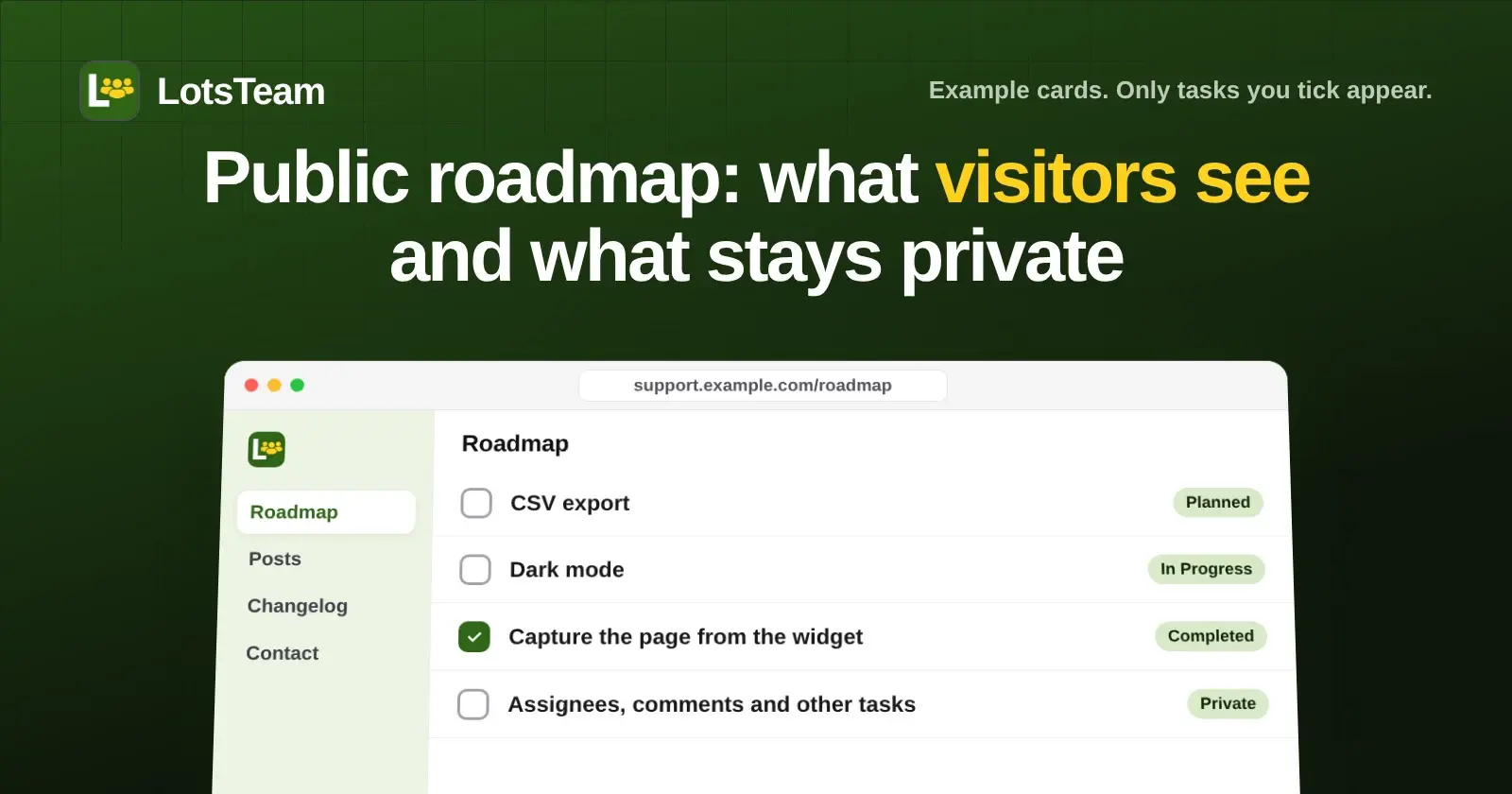
The LotsTeam public roadmap shows only the tasks you tick Show on Public Roadmap, in three columns: Planned, In Progress and Completed. Each card shows the task title, a public summary, an estimated date if you set one, and a small flag when the priority is above low. Everything else on your task board, including who is assigned, comments, notes about what a task is waiting on and every task you didn't tick, stays private.
I'm the founder of LotsTeam, and I built the roadmap to read from the same tasks my team works on, so there is no second list to keep in sync. This guide covers exactly what a visitor sees, what they don't, the two things to check before you publish your first card, and how to run it from the dashboard or from your AI agent. I checked each point below against the LotsTeam code and the live pages on 16 November 2026.
What visitors see on a roadmap card
| On the card | Where it comes from |
|---|---|
| Title | The task title, exactly as written. It is public, so write it for customers. |
| Column | The task status: To do shows as Planned, In progress as In Progress, Done as Completed. |
| Text under the title | The Public Summary if you wrote one. If you leave it empty, the task's internal description is shown instead. A long text is cut to three lines with a "Read more" link. |
| Estimated date | The optional ETA date, shown as a small calendar line. |
| Priority flag | A small flag next to the title for any priority above low (medium, high or urgent). Low priority shows nothing. |
That is the whole card. The roadmap page also has a search box, and the cards inside each column keep the order you gave them on the board.
What stays private
The roadmap page is built from a short list of fields, so the rest of the task never leaves your workspace:
- Tasks you didn't tick. Only a task marked for the roadmap is read at all.
- Who is assigned, who reviews, and the goal a task belongs to.
- The comments on the task.
- The "waiting on" and "next step" lines you use to track blockers.
- Who asked for the feature. A task can be linked to feedback posts, and the roadmap card doesn't show the link or the people.
Two things are not private, and they are the ones that catch people out:
- The title is public. A task called "Fix Acme's broken invoices" would show exactly that. Rename the task, or keep customer names out of titles for roadmap tasks.
- The description is the fallback. LotsTeam's own API documentation says that if you turn the roadmap on and leave the public summary out, the internal description is shown instead. If your descriptions hold internal notes, write a public summary for every roadmap task before you share the page.
Put a task on the roadmap from the dashboard
- Open a task on the board, or create a new one.
- Tick Show on Public Roadmap. Two optional fields appear.
- Add an ETA Date if you want an estimated completion date shown.
- Write a Public Summary (up to 5,000 characters) to show readers instead of the internal description.
- Save, then move the task through To do, In progress and Done as the work moves. The card follows the status.
To take a card off, untick the box. The task stays on your board.
Run it from your AI agent
The same fields are on the task tools, so the agent you already use can manage the roadmap within your permissions. The tools are create_task and update_task, with is_roadmap, eta_date and public_summary, and list_tasks to read what's there. You can ask in plain words:
Put the CSV export task on the public roadmap with a short public summary and a date in November.
Move dark mode to in progress.
List my roadmap tasks and tell me which have no public summary yet.
CSV export shipped. Mark it done and draft the changelog.
The last one moves the card to Completed and drafts the entry, and nothing is published until you publish the changelog entry yourself. If you haven't connected an agent yet, the setup for each one is on lots.team/mcp. The public roadmap page for the feature is lots.team/features/public-roadmap.
Where the roadmap lives
Every project has a public portal with Posts, Roadmap, Changelog and Contact, and the roadmap is the Roadmap page on it. The portal can run on your own domain. You can see a real one at support.lots.team/roadmap, the roadmap for LotsTeam itself. On 16 November 2026 it shows one Completed card, "Capture the page from the feedback widget", with a two-sentence public summary written for customers, which is the shape I'd aim for on your cards too.
While no task is on the roadmap, the page tells search engines not to index it. It becomes indexable once the first card is there.
Projects marked internal have no public portal and no public roadmap. If you move a roadmap task into an internal project, the task comes off the roadmap automatically.
Close the loop after it ships
A roadmap is the promise, and the changelog is the proof. When you decide to build a request, link the feedback post to the task and put the task on the roadmap. When the work ships, the entry in your changelog can email the people whose posts asked for it. That email is off unless you turn it on for the entry. I walk through that step in How to Publish a Changelog and Notify the People Who Asked, and if you run one project per client, Feedback and Changelogs for Client Projects shows the setup.
If you are choosing a tool first, The Best Public Roadmap Tools (2026) compares what the options show and charge.
What it costs
The roadmap is part of every LotsTeam project, with no plan gates on features. Plans are $24 a month for 3 projects, $69 for 10 projects and $159 for 30 projects, or $9 per project a month without a plan, checked on 16 November 2026. Organizations and team members are unlimited. You can start with 10,000 free credits and no card. The full breakdown is in LotsTeam Pricing Explained.
Common questions
Does my whole task board become public?
No. Only tasks you tick Show on Public Roadmap appear. For those tasks, visitors see the title, the status column, the public summary (or the description if there's no summary), the estimated date and a priority flag. Assignees, comments and the other tasks on your board stay private.
What do visitors see if I don't write a public summary?
They see the task's internal description. LotsTeam's API documentation says the internal description is shown when the roadmap is on and no public summary is set. If the description holds internal notes, write a public summary before you share the page.
How do statuses map to the roadmap columns?
To do shows in Planned, In progress shows in In Progress, and Done shows in Completed. Moving a task on your board moves its card, so there is nothing to update twice.
Can my AI agent update the roadmap?
Yes. With create_task and update_task your agent can add a task to the roadmap, set its public summary and estimated date, and move it between statuses, within your permissions. It can also list your tasks so you can check which roadmap cards have no summary.
Can I put the roadmap on my own domain?
Yes. The roadmap is a page of your project's public portal, and the portal can run on your own domain. Projects marked internal have no public portal or roadmap.